Guides & How-Tos
Step-by-step guides for getting more out of your notes · migrations, syncing, offline access, and honest picks for the best note-taking app.
32 articles
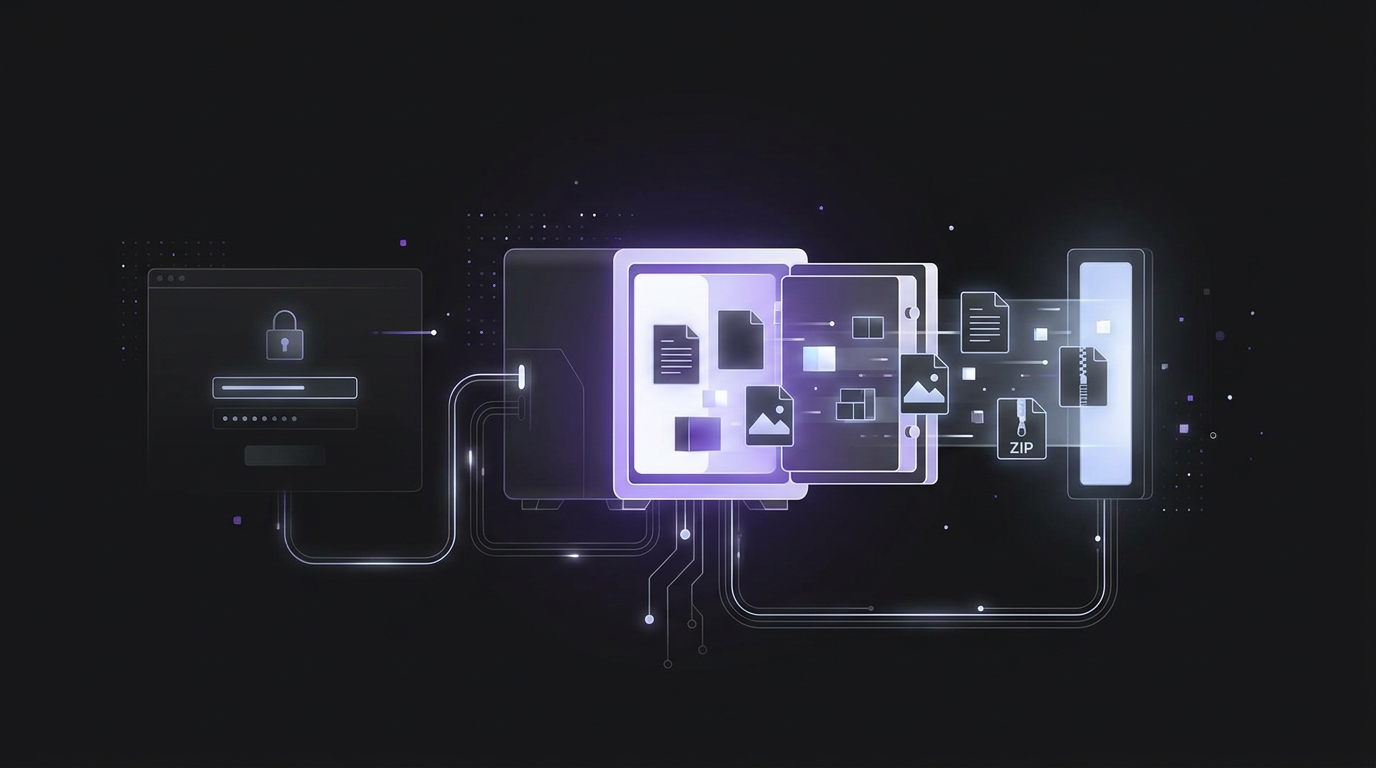
Exporting notes from an unlocked vault: formats, attachments and password prompts
To export notes from an unlocked vault, use the app's export tool to save your vault data. Bitwarden offers plaintext CSV and JSON files, encrypted JSON files, and ZIP files with attachments. For local note vaults, copy the note files and their attachments folder into the new vault.

Which tools suit field engineers working offline?
Choose field engineer productivity tools around mobile work orders with offline access to site records. Preventive calls offline support essential for most mobile work order deployments. For reporting, look for forms with photos, asset scans, signatures, offline mode, and controlled sync.

What to do if you lose your encrypted notes recovery kit code
If you lose your recovery code, a device that still opens your encrypted data may let you change it. Resetting your account password by email or SMS does not unlock stored encrypted data. An old password can restore data locked after a password reset.

Can you use a non-AI version of Notion?
This guide reviews Notion’s documented AI controls; it does not verify a separate AI-free edition. Notion documents an Enterprise owner switch that stops data being sent to AI subprocessors. Check its scope against your needs, or assess a local Obsidian setup with Restricted Mode on.

How do you choose an app like OneNote?
Catalogue your exact formatting prerequisites, such as handwriting, freeform canvas arrangement, section tabs, or text hierarchy, across each daily device. Compare alternative tools against export portability, offline sync reliability, and encryption boundaries rather than surface visual familiarity alone.

What note taking apps work offline for fieldwork in areas with bad signal?
Choose offline note taking applications by verifying that text creation and local search continue functioning smoothly while operating under flight mode. Review local data structures across your field tablets to confirm records persist safely without depending on an active cellular network uplink.
The Best Evernote Alternative for 2026: Privacy, Speed, and Zero Limits
The best Evernote alternative in 2026 depends on your needs: Joplin offers open-source flexibility, Obsidian provides local-first Markdown control, and SimplyBoard delivers zero-knowledge encryption with unlimited device sync. For users fleeing Evernote's device limits and AI training policies, SimplyBoard provides a fast, search-first experience that remains private and offline-capable.

Sync Without Stress | How SimplyBoard Handles Multi-Device Conflicts
Note syncing conflict resolution is the process of reconciling different versions of a note edited on multiple devices. SimplyBoard uses a last-write-wins strategy combined with offline-first encryption to resolve these conflicts automatically, eliminating the "conflicted copy" duplicates common in apps like Evernote and Obsidian while maintaining zero-knowledge privacy.

Notion Alternatives: The Best Free 'No AI' Tools for 2026
The best Notion alternatives without AI in 2026 include Obsidian for local Markdown storage, Anytype for decentralized data, and SimplyBoard for zero-knowledge encrypted sync. These tools prioritize privacy and speed, ensuring your notes are never used for AI training while providing offline-first access and instant search capabilities.
Trello vs Evernote: Why the 2026 Workflow Demands a Unified Workspace
In 2026, the Trello vs Evernote debate centers on visual task flow versus long-form data retention. Trello excels at Kanban-style project management, while Evernote remains a digital filing cabinet. However, both legacy tools lack the unified, privacy-first, and offline-first capabilities required for modern, high-speed professional workflows. Discover why a unified workspace is better.
The Notion Alternatives Without AI That Reddit Actually Recommends
Reddit users seeking Notion alternatives without AI prioritize privacy, offline access, and speed. Top recommendations include Obsidian for local-first control, SiYuan for a block-based open-source experience, and SimplyBoard for zero-knowledge encrypted sync. These tools avoid the UI bloat and data-privacy concerns associated with generative AI integrations.
SimplyBoard vs Trello | Private Kanban for Sensitive Projects
A private Kanban board app uses client-side encryption to ensure only you can access your project data. Unlike Trello or Asana, which store data in readable formats on their servers, private alternatives like SimplyBoard use AES-256-GCM to encrypt cards locally, providing a zero-knowledge environment for sensitive intellectual property.

Encrypted Sync Without Plugins | SimplyBoard vs Obsidian
To get encrypted sync without plugins in 2026, use a native zero-knowledge app like SimplyBoard. It uses AES-256-GCM and Argon2id to encrypt notes in the browser, providing an offline-first experience that syncs across devices automatically, avoiding the $4/month Obsidian Sync fee or complex CouchDB setups.

The End of Nested Folders | Why Search-First Retrieval Wins
Search-first retrieval is faster than nested folders because it eliminates decision friction and manual filing. While folders require constant maintenance and rigid categorization, fuzzy search with usage-based ranking allows for instant access to information across multiple contexts, saving significant time and cognitive energy in complex digital workspaces.
SimplyBoard vs Obsidian | Syncing Your Second Brain Without the Friction
An Obsidian sync alternative provides a way to keep notes updated across devices without paying for Obsidian Sync or managing manual Git/cloud setups. Modern alternatives use zero-knowledge, client-side encryption (AES-256) to offer the privacy of a local vault with the seamless, automatic synchronization of a cloud-native application.
The Best Private Notes App for Android and iOS: Secure Your Mobile Brain in 2026
A private notes app for Android or iOS uses zero-knowledge, client-side encryption (like AES-256) to ensure only you can read your data. Unlike Google Keep or Apple Notes, these apps derive encryption keys from your password locally, meaning the service provider cannot access your notes even under subpoena.
Migrating from Notion to AppFlowy or AFFiNE? Read This First
To migrate from Notion to AppFlowy, export your workspace as Markdown & CSV, then use AppFlowy Cloud's import tool. Note that formulas and rollups may not transfer. For a faster, zero-knowledge alternative, SimplyBoard offers instant search and client-side encryption without the technical overhead of self-hosting open-source software.
The Search-First Workflow | Why Retrieval Beats Organization
The fastest note taking app in 2026 prioritizes search-first retrieval over manual folder organization. By using fuzzy search, usage-based ranking, and offline-first architecture, apps like SimplyBoard eliminate categorization anxiety and latency. This allows for near-instant access to information, outperforming traditional hierarchical systems like Apple Notes, Evernote, and Google Keep.
SimplyBoard vs Asana | For People Who Just Want Private Tasks
Asana is built for team accountability, making it heavy and non-private for personal use. For individuals, the best Asana alternative is a fast, client-side-encrypted tool like SimplyBoard, which offers Kanban boards and lists without enterprise bloat. Prioritize speed, offline access, and zero-knowledge privacy for your personal tasks and notes.

Beyond Obsidian: The Best Free Second Brain App for Fast Retrieval
A second brain app free of friction focuses on high-speed retrieval and privacy. By 2026, the best systems prioritize client-side encryption and offline-first access, moving away from complex manual linking toward instant fuzzy search. Tools like SimplyBoard provide a fast, private alternative to Obsidian and Notion for seamless knowledge management.
Trello Alternatives for Personal Use: Why Private Kanban is the Future
SimplyBoard is the premier trello alternative personal choice, offering an encrypted IndexedDB cache for instant, local-first Kanban boards. Unlike Trello's cloud-heavy model, it features zero-knowledge AES-256-GCM encryption and Argon2id key derivation, ensuring your personal projects remain private, searchable, and fully functional without an internet connection.

How to Sync Obsidian Notes Without Paying $8/Month
You can sync Obsidian notes for free using iCloud Drive (Apple users), Syncthing (Android/Windows), or the Obsidian Git plugin (Power users). While these methods avoid the $8/month official fee, they require manual setup and troubleshooting. For a zero-config, encrypted alternative, consider a cloud-native tool like SimplyBoard.
When Obsidian Plugins Break After an Update
Obsidian plugins break because updates change the app's internal API, leaving community-maintained code incompatible. This creates a maintenance burden where users must debug GitHub issues instead of writing. SimplyBoard offers a stable alternative with built-in features like boards, canvas, and instant search, all protected by zero-knowledge encryption.

Why Obsidian on Mobile Feels Painful (and What to Use Instead)
Obsidian Mobile often feels painful due to slow vault indexing, plugin lag, and sync conflicts inherent in its local·first architecture. For users needing instant capture, SimplyBoard offers a faster, client·side encrypted alternative that opens immediately, searches instantly, and syncs without the friction of manual vault management.

An Obsidian Alternative Without the Vault Setup
If Obsidian's vault and plugin configuration feels like more work than actual note-taking, a zero-knowledge cloud alternative is the solution. Learn how to get the privacy of a local vault with the speed of a "no-setup" system that works instantly across all your devices without manual sync.
The Best Notes App That Works Offline
The best notes app that works offline treats your local device as the primary source of truth. Truly offline-capable apps like SimplyBoard and Obsidian allow you to read, edit, and search your entire library without a connection, using local storage like IndexedDB or Markdown files to ensure zero-latency productivity anywhere.

Best Note Taking App 2026: Fast, Private & Simple
In 2026, the best note-taking apps prioritize speed, privacy, and simplicity. While Notion leads for team collaboration and Obsidian for local-first PKM, SimplyBoard is the top choice for users needing instant search and zero-knowledge encryption. This guide compares the top contenders to help you find your perfect workflow.
Best Note Taking App for Developers 2026
The best note-taking app for developers in 2026 is SimplyBoard for speed and encryption, or Obsidian for local-first Markdown. Developers need tools that prioritize instant fuzzy search, keyboard-first navigation, and zero-knowledge privacy to manage code snippets and technical documentation without the bloat of traditional productivity suites.
10 Productivity Tools Every Developer Should Know in 2026
The best developer productivity tools in 2026 focus on speed, AI integration, and privacy. From AI-native editors like Cursor to zero-knowledge knowledge bases like SimplyBoard, these tools eliminate friction. By using keyboard-first workflows and encrypted snippet management, developers can maintain flow state and protect sensitive project data.
How to Migrate from Notion to SimplyBoard
Migrate from Notion to SimplyBoard by exporting your workspace as a Markdown & CSV ZIP file, extracting the contents, and uploading the .md files into SimplyBoard. This moves your data into a zero-knowledge, client-side encrypted environment that preserves Markdown formatting while providing faster, offline-first access and instant fuzzy search.

How to Migrate from Evernote to SimplyBoard
Migrating from Evernote to SimplyBoard is a three-step process: export your notes as ENEX files from the Evernote desktop app, clean your data, and upload them to SimplyBoard. Your notes are converted into private, client-side encrypted entries accessible via instant fuzzy search and offline-first sync, ensuring total data ownership.
The Developer's Guide to Command Snippets
Build a high-performance command snippet library to stop wasting time on repetitive searches. Learn how to organize CLI one-liners, Docker commands, and Git workflows using search-first principles and client-side encryption to ensure your technical knowledge is always accessible, even offline.